No Risk Photograph Restoration -
Free Advice Call 01825 740986

Archive for UNCATEGORISED – Page 8

Amy Joins Photographs Forever

Amy


My daughter Amy has joined me at Photographs Forever so that we can maintain the highest standard photograph restoration service. With increasing levels of repeat business and the increasing popularity of our photograph restoration has made it necessary to have additional help to keep the standards of service as high as they have been. Amy’s keen interest in photography and media is also of great benefit moving forwards. 

I have always made a point of being very responsive to all phone calls and emails and, with increasing levels of communication, Amy’s help will be very valuable to keep up these high standards.  


Merry Christmas To All


christmas-2016-before-after

Merry Christmas to everyone – before and after! Here’s looking forward to 2017 being a great year.

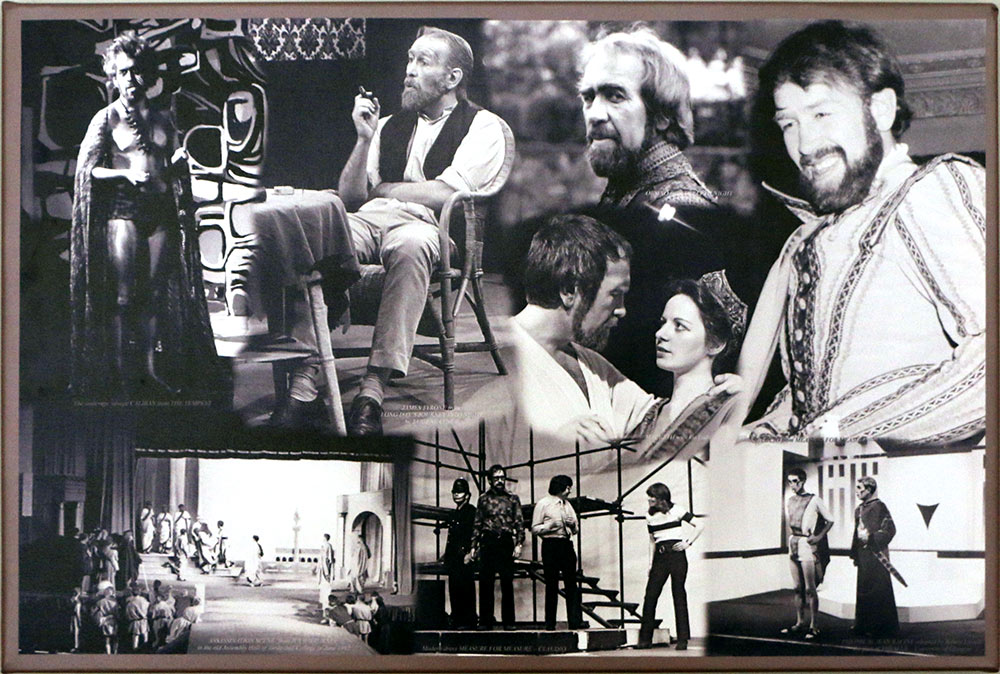
Iain Anderson’s Theatrical Performances as Canvas Montage

I recently received an order from Iain Anderson from Renfrewshire as he wanted me to produce a montage on canvas of some his photographs taken when he was in various dramatic stage roles.

iain-anderson-montage


During our conversations I found that Iain has his own radio show on BBC Scotland and he plays some really great music, much of which you may not have heard before and is well worth hearing, which you can hear again on the BBC iPlayer.

Click on his photograph below for the link to listen

iain-anderson

Iain Anderson – BBC Radio Scotland

9 Great Ways To Transform Your Photographs

With Christmas now on the horizon here are some ideas for a unique gift that’s ideal for those who can be tricky to find something a bit different.

Here just a few examples of the many ways I can transform your photographs….


If you have a photograph that has faded in its frame, it can be restored and re-coloured.


Two or more photographs can be combined and you can choose the people you want in the finished photo


Family groups can be ‘adjusted’ to include or exclude people!


Couples can finally be together in the same photograph.


Snapshots of pets can be made into portraits or montages


Treasured photographs that have suffered years of damage can be restored to their original state.


Combine a favourite photograph with a more interesting background.


Create a family montage from a selection of favourite photographs


Not sure which photos to use but can see the potential?
A Photographs Forever Gift Voucher of any value could be the answer.

Restoration of Photographs, Artwork, Certificates, Children’s Artwork, Negatives and Slides by Photographs Forever

Photograph restoration is very popular, although you may be interested to know that I also scan and restore many other things


For example I restored a drawing that, over the years had become torn, dog eared and generally in very poor condition. I restored the artwork and made an enlargement on archive paper and mounted this in a plain black wooden frame.
Here’s the before and after:

Zzzz

Do you have precious unique documents such as Birth Certificates, School Reports, Qualification Certificates, Death Certificates, Wills or any other documents that should be digitally preserved and restored  shared with other members of the family? If you are creating your family album or your family tree, you could add images of important documents.

Documents

What about the children’s artwork? Their wonderful creative drawings and paintings are nearly always done on the cheapest paper, the paint fades, they get crumpled up and torn. Save them now. I will scan them and then you’ll images you can print, put into photo books and share with the family

Child Drawing Composite

Do you have negatives of possibly precious photographs and lost the prints?
Do you have a collection of negatives and you’ve no idea what the images on them are of?

Negs-Slides

I can scan your negatives whether they are 35mm or 127, 126, 120 roll film or even the really old glass negatives and provide you with positive images as data files, which I can then restore if necessary or just print or enlarge your favourites.

You may have a large number of 35mm or 6cm slides from the 70’s and 80’s but no longer have a projector that works. Let me scan and improve them so you can enjoy them again.  They are often really high quality and make great enlargements.

So don’t delay, wherever you are, whatever town, city or county, look out those precious documents, drawings, artwork, negatives, slides and of course those fantastic old family photographs and let me restore them, repair them, retouch them so you and your family and friends can enjoy them forever.

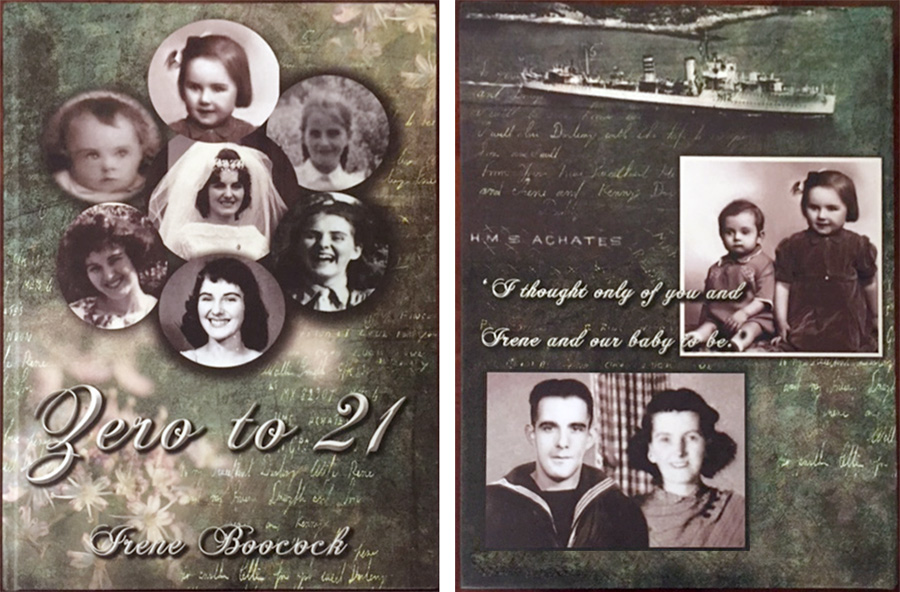
Sentimental Framed Photograph After Restoration

I received this message from Irene after I has restored her photograph and I was quite touched –

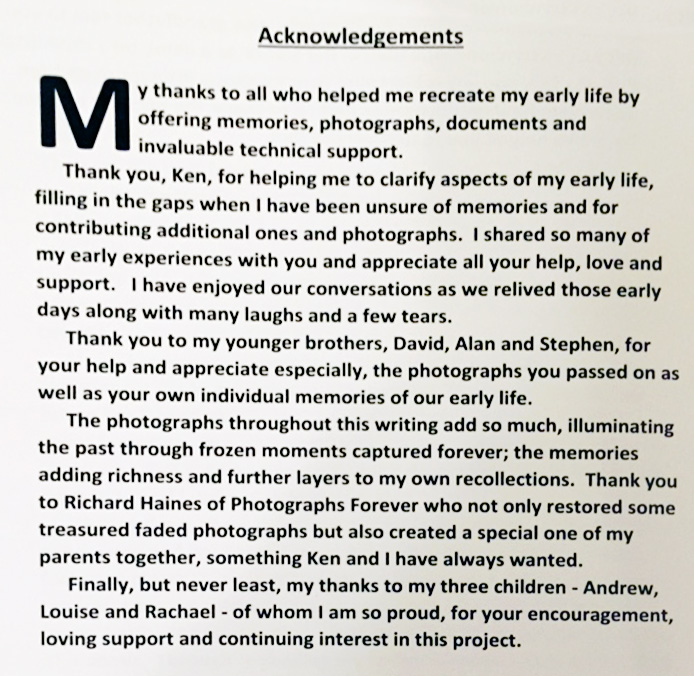
“Thank you so much for your recent work which was excellent as usual. The photograph you restored fits beautifully into the frame and looks wonderful surrounded by a verse from one of my favourite songs.  No apologies for the sentimental nature of the words!  I’ve sent you a copy so you can see the end result.

irene-photo-framedr-web

There were some lovely surprises with the negatives. Some photographs I have never seen before and others have not been seen by the family for years.  I have no idea who the people playing football are!  I have included several of the photographs in my writing –  which is nearly finished by the way.”

Always very gratifying to receive this kind of message.

8 Great Tips to Help You Make The Most of Your Photographs

There is no better way to remember all the great times in life than through the photographs you have from the past, present and future. Previous generations have very few photographs compared with the number we have today. Photographs are so important yet they often remain locked inside our phones or packed away in a box.

So make the most of your photographs.  Here are 8 tips….

8 TIPS TO MAKE THE MOST OF YOUR PHOTOS

  1. Download the photos from your phone – either onto your computer or a cloud-based storage site such as MyKnowHowCloud.com where you can store all your photographs and any other important files.
  2. Make prints and enlargements of the best photographs, frame them and get them out on display so you can enjoy them.
  3. Photographs are a great way to remind you of good times that you’ve had and important events in your life.
  4. Photographs are the best way to remember parents, grandparents and past generations. In many really old photographs the people in them often look very serious in formal poses in studios. These were sometimes the only photographs that existed and they have a special charm and look great when enlarged and framed.
  5. Create a photo book of your favourite memories. Your photos are the record of your life so far. A photo book of your family life in pictures is a wonderful thing to have and will give you and others a huge amount of pleasure.
  6. Taking photographs today is a fantastic way of spending time that costs virtually nothing. It’s creative, social and rewarding. We take as many photos each day now as in the first 74 years of photography. It’s important to remember to do something positive with the photos you take.
  7. If they’re not right, fix them! With the fantastic technology available today virtually any photo that is is in some way not as good as you’d like it to be can be resolved with digital software. You can fix lots of elements yourself with free programs such as Google Picasa.
  8. Use Photographs Forever as a resource for any advice you may need with your photographs. You can call me any time. It is my passion that you make the most of your photographs. Get them on display, and get them scanned so you have digital copies in case the original prints get lost or damaged.  If they need improving either do it yourself or let me do it for you. Let there be photographs!

Don’t Risk Losing Your Family History – Preserve It Forever

Shoebox1

We all have old photographs that we treasure, whether they are old family photographs passed on from previous generations, or historic photographs of the homes and towns we live in.

Photographs are the best tool we have to relive our cherished memories and remember loved ones who are no longer with us. Unfortunately photographs don’t age well and over time their quality diminishes.

Because photos are printed on paper things such as handling, light, moisture, dust, and scratches often affect them. Regrettably, these things can ruin our photos and prevent them from lasting through the generations.

Most of the photo papers and inks used up until recently have not been archival quality, and as a result, many photo prints show signs of fading and colour shifts after only a few years.

Poor storage practices such as keeping photos in attics or basements or allowing photos to be exposed to sunlight, have also contributed to the poor condition of most photo collections.

People don’t realize there is a problem until they take a look at their photo collection after many years of storage. Our precious photo collections are in fact fading away and in time many will be beyond recovery. There is also the possibility of their demise in the case of fire or flood.

It is a good idea to restore your special photographs or even entire photo collection in order to stop the unavoidable destruction that will take place no matter how carefully the photos are stored. Once restored, the photos can be copied to CD or DVD for long-term storage and safekeeping. Once you have digital copies you needn’t worry about further damage because digital images do not change at all. You can use these digital images to make a set of prints on archival paper, which will last over 100 years in an album with no signs of degradation or twenty years exposed to daylight for framed prints. Additional prints can be made at any time in the future should disaster strike.  You can also share the images with other members of your family and friends.

During the restoration process it is also possible to improve the quality of the original photograph – for example removal of spots, stains, marks, tears as well as improving contrast, brightness, colour balance and enhance detail, focus and sharpness.

It is also possible to add colour to black and white photographs, as well as being able to make quality enlargements for framing.

Organise Your Photographs – It’s Easier Than You Think!


Shoebox1

Are you one of the many people who has hundreds or even thousands of photographs, some in albums, some in boxes, and in more recent years, huge numbers of digital photographs on the computer? The thought of organising all your precious family photographs can seem quite overwhelming although when it’s done there are huge advantages that make the job very worthwhile.

How good would it be to be able to find the photos you want, when you want them, and end the seemingly endless frustrating searches that we’ve all done in the past. More importantly, when your photographs are organised, future generations will have all the benefits of your efforts. They will know who is who, dates, places and any other detail you may be able to add.  Your photograph archive becomes a valuable heirloom.

It’s Easier Than You Think

At first it may seem like a task that is just too enormous to tackle. The good news is that when it’s broken down into simple steps, it’s much easier than you think, is actually great fun and is very rewarding.

  1. Collect together all loose photographs and albums into one place
  2. Sort the photographs into as near chronological order as you can. During this process put aside any duplicates, sub-standard photographs and ones that you don’t like or are irrelevant.
  3. Scan all the remaining photographs to your computer. Use a scan resolution of 300 – 600 dpi so that any future prints made from the scan will be good quality. If you can’t do this yourself I can do this for you.
  4. Create a sub-folder for each year in the My Pictures folder of your computer and put the scanned images into the appropriate year’s folder. Where the year is not known just use your best estimate. To further refine this you can add a sub-folder in each Year folder using the date and subject. For example name the final folder 2013-10-15 Family Party. By using the date format with the year first this makes sorting the folders more logical.
  5.  Picasa is a free program by Google that makes it very easy and straightforward to keep track of all your photographs. It will automatically find all the photographs on your computer and arrange them all in chronological order keeping the names of each folder.     This will include all the digital photographs you already have on your computer.                                                                                             Picasa
  6. Apart from organising your photos you can also enhance them, crop them, and add different effects, although I would suggest you leave any editing until you have the photos organised.  You can download Picasa free from http://picasa.google.co.uk/
  7. You can also title each photograph with further information about the people, places and any other information required.
  8. Tagging your photographs in Picasa is also a useful way to find what you want quickly. A tag is used for a type of photograph, for example ‘Home’. How this could work is that any photograph from any year that features your home could be tagged with the word ‘Home’. Other tags might be ‘Buildings’, ‘Holidays’ or anything else you choose.
  1. Picasa has great search capabilities. If you type in its search field any word relating to the name of a folder, sub-folder, title or tag it will instantly display all those photographs on your screen. Picasa also has a fantastic face recognition feature which work extraordinarily well. It recognises faces even in large group photos, makes a thumbnail image of just the face. You name each different face and it finds all the photographs with that persons face, at any age, and creates a thumbnail of the face against that person’s folder (automatically created). If it doesn’t get it right (rarely) you have the option to correct it. This is a very useful feature in family history projects.

Backing up Your Photographs For Safety

So now you have all your photographs in one place, you have named folders and photographs and they are easy to find.  It’s important that you back them up. This can be done simply by copying the files onto a separate USB external hard drive, CD or memory stick or better still in the cloud on line. Livedrive (see www.livedrive.com)  is an easy inexpensive cloud-based backup service  – a small price to pay for security of all your precious photographs and any other information you need backed up.

Complex Photograph Montage

Here is an interesting order I completed recently. Not only to combine two photographs that were in very poor condition but also to add the woman from the first photograph – minus baby! – to the second photograph while turning her around so she was facing the right way rather than turning her back on her husband!

Montage 650
This was the email I received from my customer…

“Well you’ve done it again, this time with knobs on and I am not referring to the door knob in one the photos! What an absolutely fantastic result. I appreciate the time and effort you must have put in to get the images of individuals in one photo transferred and included in another. The results to include the clean up and restoration are really brilliant, my great grandmother has literally “rejoined” her family – Fantastic. I can’t wait to present the final prints to members of my family.” John P